Projects
Audio Plugins
Four effects, each one narrow on purpose: one job, a handful of controls, and a display that shows what the processing is doing rather than only what it has been set to.
Every screenshot below is the plug-in's own editor, loaded by a host and captured at the size the editor asks for — no crop, no mockup, and nothing scaled up past 1:1. All four ship as VST3; Dusty and Echolossia are built on iPlug2, Dynamic Tilt and Midrange DynEQ on JUCE. The meters, spectra and readouts are live rather than seeded: the host was feeding each plug-in pink noise, because every one of these displays is empty at silence.
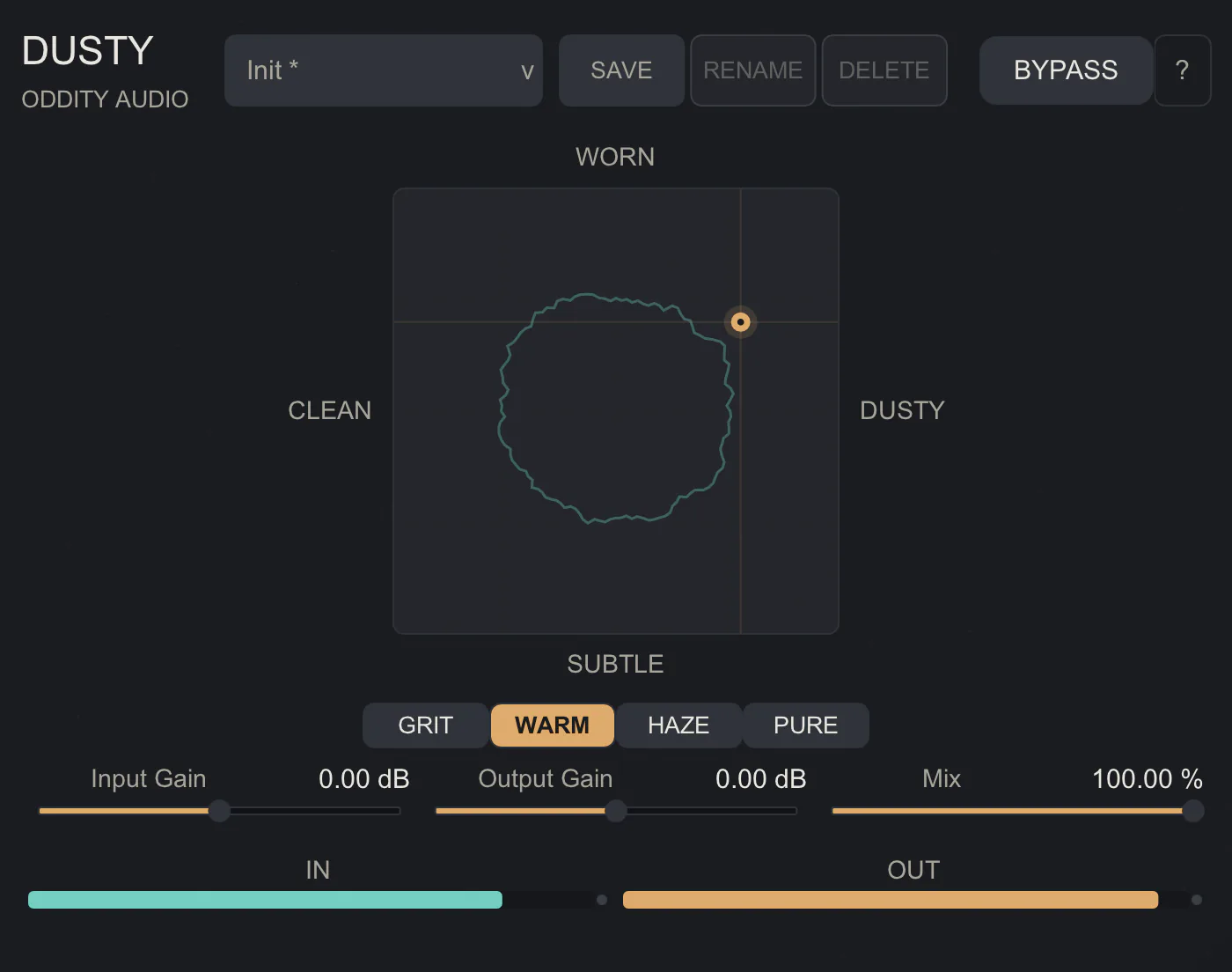
Dusty
An insert effect that colours incoming audio with phrase-sampler texture: bit-depth reduction, sampler-rate decimation with imaging, stylised reconstruction filtering, converter-style colour, additive hiss and wow/flutter. It is driven almost entirely from one X/Y pad — across sets the type and amount of colouration, up sets the degree of wear, and the four modes beneath it choose which processing rather than how much of it. A preset defines what the pad does rather than only where its point starts, so two presets sitting at the same coordinate do not sound alike. Version 3 is a JUCE-free rewrite on iPlug2 that holds the original’s audible behaviour, host automation contract and saved sessions unchanged.
C++ · iPlug2 · VST3 · Real-time DSP
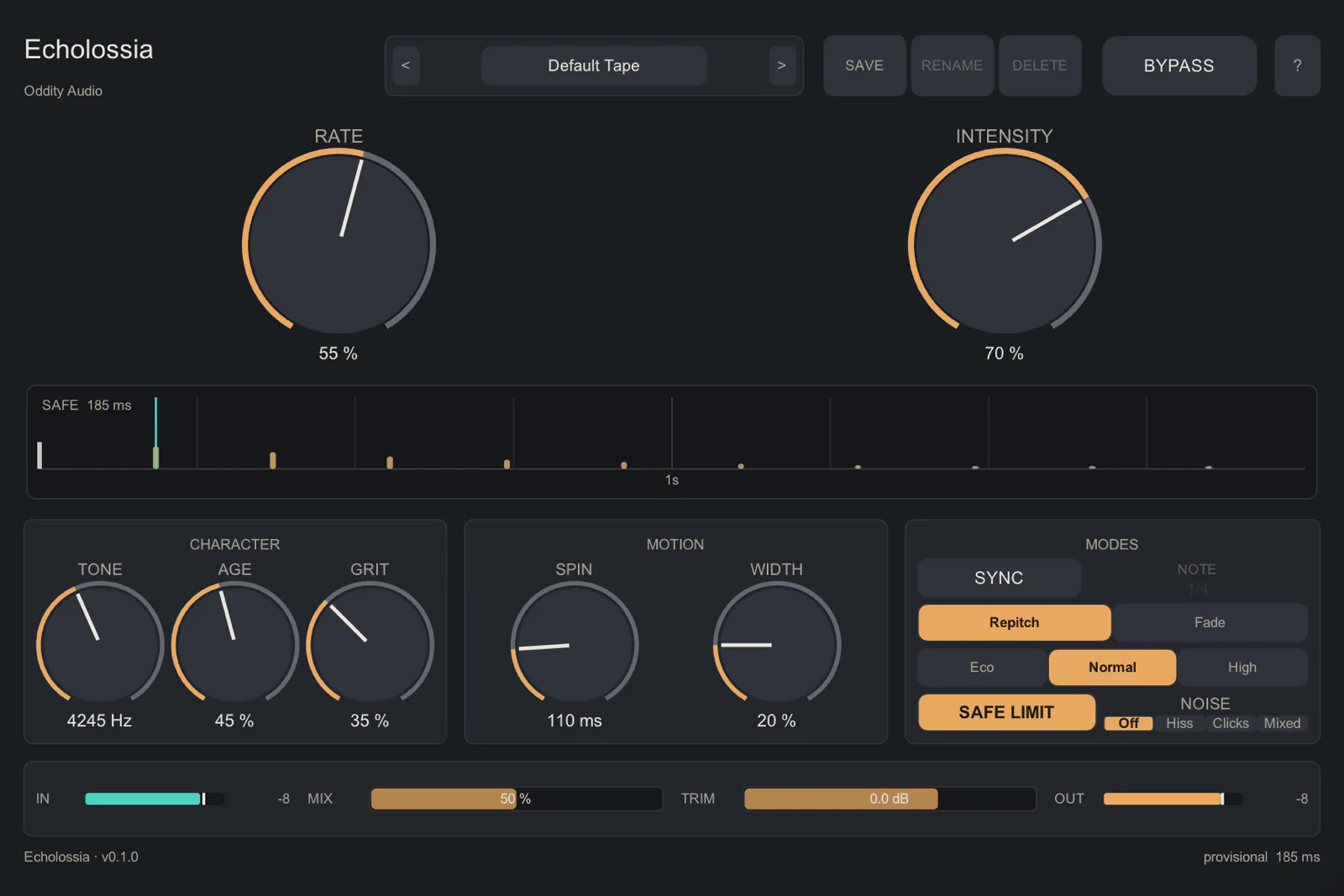
Echolossia
An early-digital interpretation of tape echo rather than a model of any particular machine. Changing the delay time moves the read position continuously, so rate changes glide in pitch, repeats darken as they recirculate, and bounded feedback saturation lets it self-oscillate without running away; Rate, Intensity and Mix dominate, with tone, age, grit, spin and width behind them. The readout under the dials is engine telemetry rather than decoration — it draws the current delay time on a real time axis and the measured decay of the repeats. Like Dusty it is a JUCE-free rewrite on iPlug2, held against the original by replaying 46 saved states and 1,936 display strings dumped from the JUCE build.
C++ · iPlug2 · VST3 · Audio Units
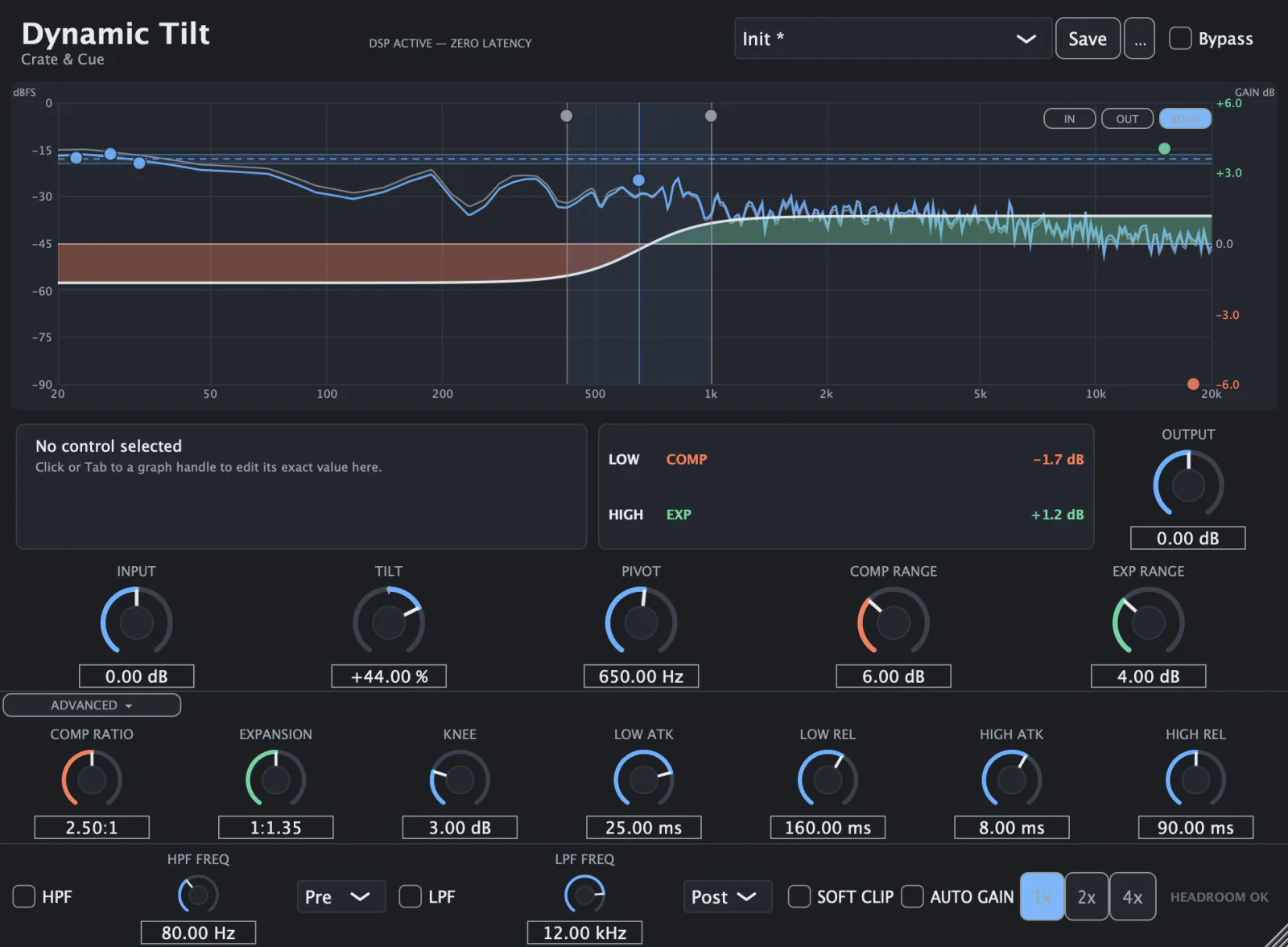
Dynamic Tilt
A two-region dynamics processor built around one bipolar Tilt macro. Tilt decides which side of a spectral pivot compresses and which expands, and by how much: positive expands the high region upward and compresses the low one, negative does the reverse, and at exact centre all four ranges are zero, so the plugin is magnitude-neutral rather than merely subtle. Compression is ratio-based and expansion is slope-based — downward expansion is never substituted for compression — and the graph draws both regions against the live input, so what is being set is visible rather than inferred. Its fifteen parameter IDs are frozen as a host contract from the first release, because a saved automation lane refers to them by name.
C++20 · JUCE · VST3 · Real-time DSP
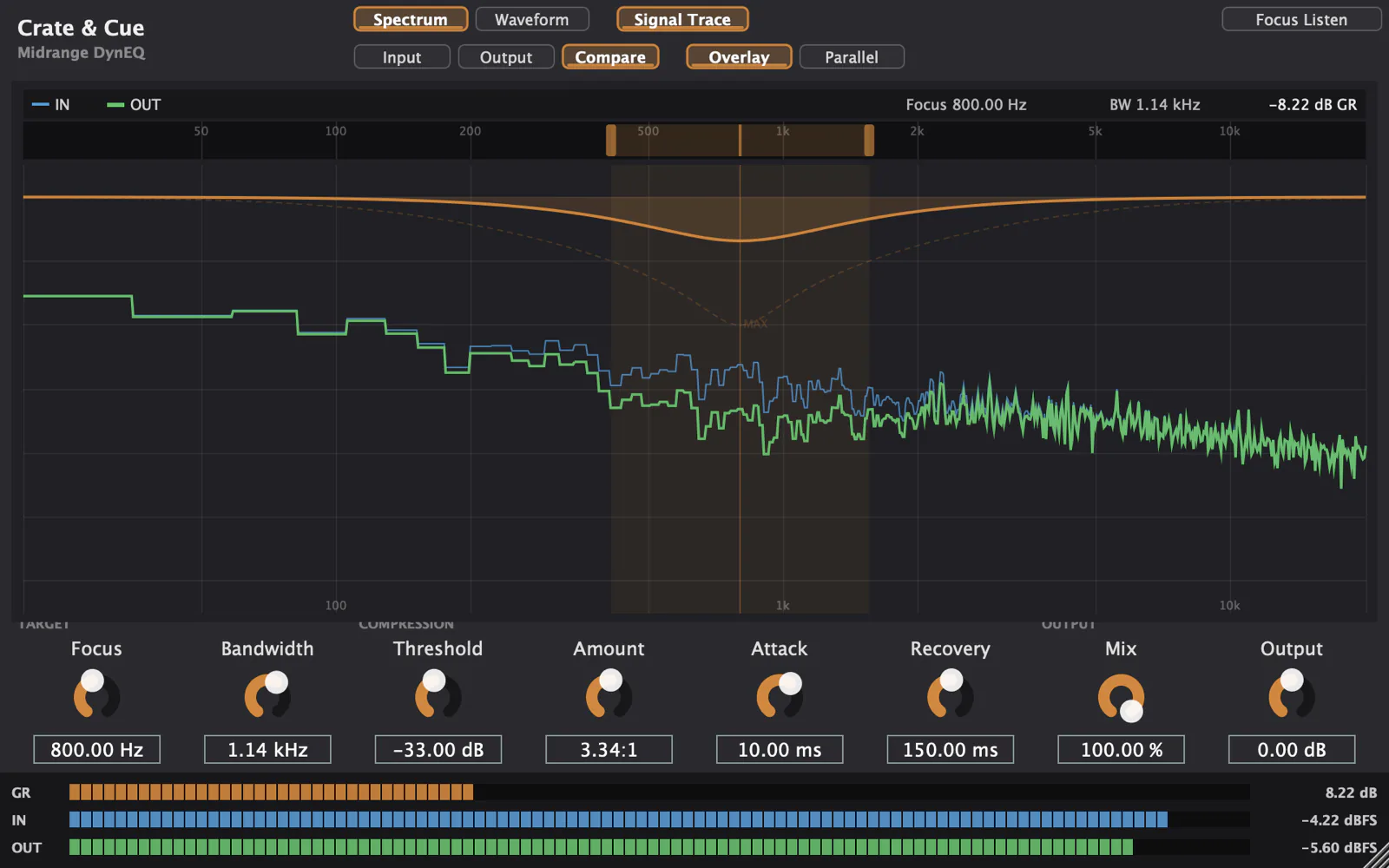
Midrange DynEQ
A focused dynamic midrange stabiliser: one minimum-phase bell, attenuated only when a frequency-selective detector says the band is over threshold, driven by a log-domain soft-knee gain computer and smooth-decoupled attack and release. It is attenuation-only by design and adds no latency — no lookahead, and no auto-makeup — so what it takes out it takes out in place. Focus sets the centre of both the detection and the correction, which is what keeps the correction on the problem rather than near it. The interface shows the input and output spectra over each other, together with the bell it is applying and the gain reduction it is actually taking.
C++ · JUCE · VST3 · Real-time DSP